The problem: Checkout in salons is cumbersome
Many salons juggle separate POS systems, paper receipts, and Excel spreadsheets. This costs time, nerves, and money. Expensive hardware, complicated software, and at the end of the month, accounting chaos.
MySalon.ch puts an end to that. The Service POS is integrated directly into your booking system. From appointment to payment to receipt – everything in one system, without additional hardware.
Your accountant will love you: At the end of the month, simply export a complete PDF report with all transactions, payment methods, and revenues.
Everything your POS needs to do
Easy Checkout
From appointment directly to payment. Cash or card – your choice. One click to complete the service.
Same catalogue as in the dashboard
At checkout and for manual bookings, all active services are available—including from categories you do not offer online. One dataset for appointments, payments and reporting.
Receipts: email, slip, or both
When completing a booking you choose: no receipt, email only, POS slip only (thermal printer, receipt printer, or save as PDF), or email plus slip. Professional content, less manual work.
Automatic Loyalty System
Checkout means customer retention. With every payment, a stamp is automatically added to the digital loyalty card.
Accountant-Ready
Export ready-made accounting reports as PDF. Your cash register closing is already done when you finish work.
Swiss VAT & checkout receipt
Under Companies → Manage you choose whether VAT is shown on receipts; per service you set the tax rate (e.g. 8.1%). Email and thermal receipts include a clear VAT breakdown – or, if you are not VAT liable, the Art. 10 VAT Act wording. Statistics & reports show gross, net, and VAT figures. With the optional POS & inventory add-on, product VAT rates are included too.
Receipts & amounts in your salon currency
Receipt emails, PDF reports, and admin views use your salon’s display currency. Your MySalon subscription stays in CHF.
Your POS – on every device
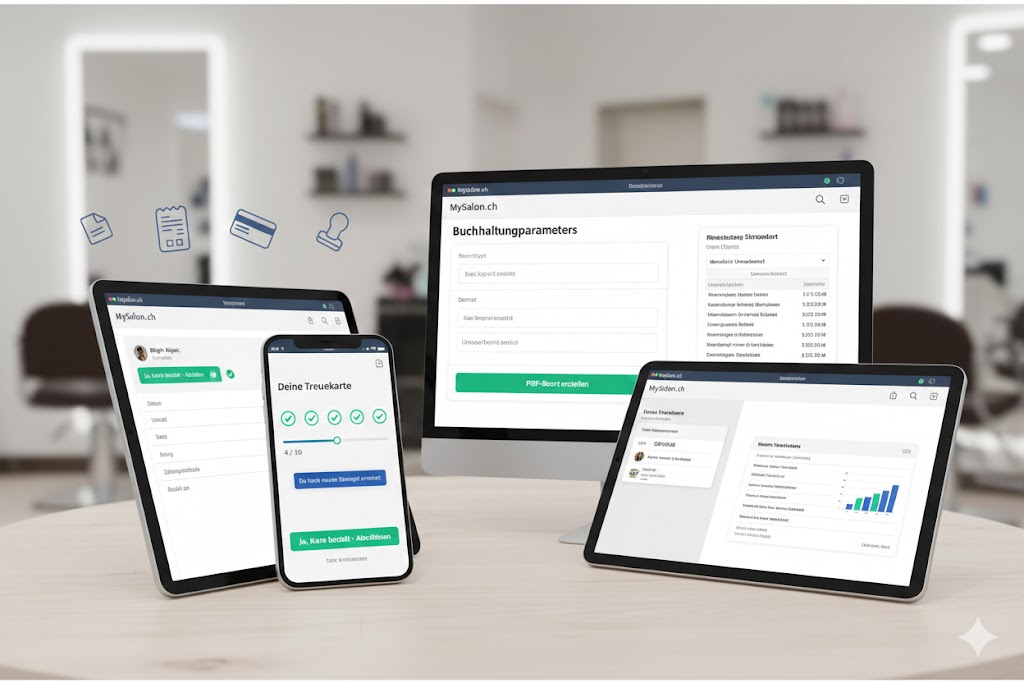
Accounting on desktop, checkout on tablet, loyalty card on smartphone. Everything synced, everything in one system.
Benefits for your salon
-
✓
Use any device: Whether PC for accounting reports, tablet for checkout or smartphone for the digital loyalty card – MySalon.ch adapts to you.
-
✓
No expensive hardware: You don't need a separate POS system. Your laptop, tablet, or smartphone is enough.
-
✓
Time-saving: From appointment to payment in seconds. No double data entry, no manual receipt creation.
-
✓
Professional appearance: Your customers automatically receive professional receipts via email. Modern and trust-building.
-
✓
Full overview: Filter revenues by employee, service, payment method, or time period. Full transparency at all times.
-
✓
Traceable & GoBD-oriented: Transactions and audit-friendly voiding instead of blind deletion—the PDF export gives your accountant the overview they need.
How the Service POS works
In four simple steps from appointment to finished accounting report:
- 1 Complete appointment After the service, select the appointment in the calendar and click "Payment". The amount is automatically taken from the booked service.
- 2 Choose payment method Cash or card – one click is enough. The payment is immediately recorded and the appointment marked as completed.
- 3 Receipt & loyalty card The customer automatically receives a receipt via email. At the same time, a stamp is added to their digital loyalty card.
- 4 Export report At the end of the month, create a PDF report with one click – with all revenues, payment methods, and details for your accountant.
The Service POS works in the background. You focus on your customers – the accounting takes care of itself.
Frequently Asked Questions
Do I need additional hardware for the Service POS?
No. The Service POS runs completely in the browser. You only need a device with internet access – laptop, tablet, or smartphone.
Which payment methods are supported?
Currently, you can record payments as cash or card. The payment method is shown in the report.
Are the receipts legally compliant?
Yes. Receipts include key details such as date, service, amount, payment method, and salon information. Voids are handled in an audit-friendly way (GoBD-oriented) instead of simply deleting records.
Can my accountant use the reports directly?
Yes. The PDF export contains a summary with total revenue, breakdown by payment method, and a detailed transaction list.
Ready for a smart POS?
Try the Service POS for free, no strings attached.
Start now and create your first digital receiptNo credit card required • Permanently free up to 10 bookings/month