No retyping amounts
The price from the booking lands on SumUp Solo automatically – no typos at the terminal.
💳 SumUp Solo · terminal payments
Complete the appointment, send the amount to SumUp Solo, customer pays by card: MySalon marks the booking as paid automatically – including receipt.
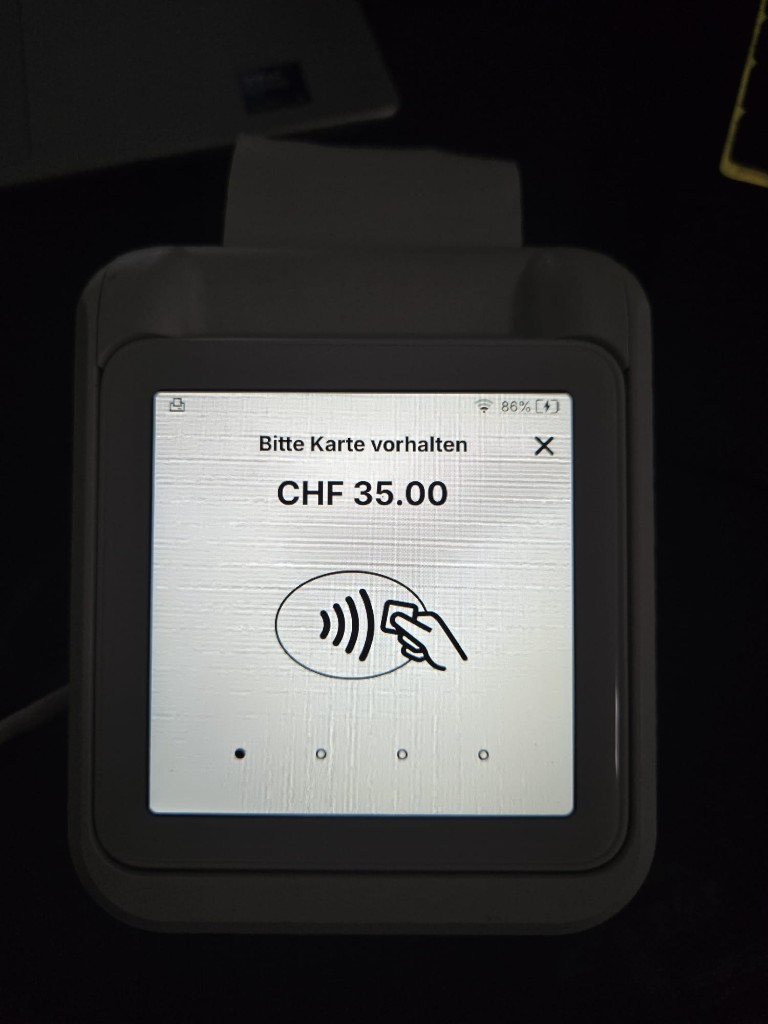
Daily salon workflow
Real screenshots – no tech jargon, just your checkout routine.
Send to SumUp
Step {current} of {total}
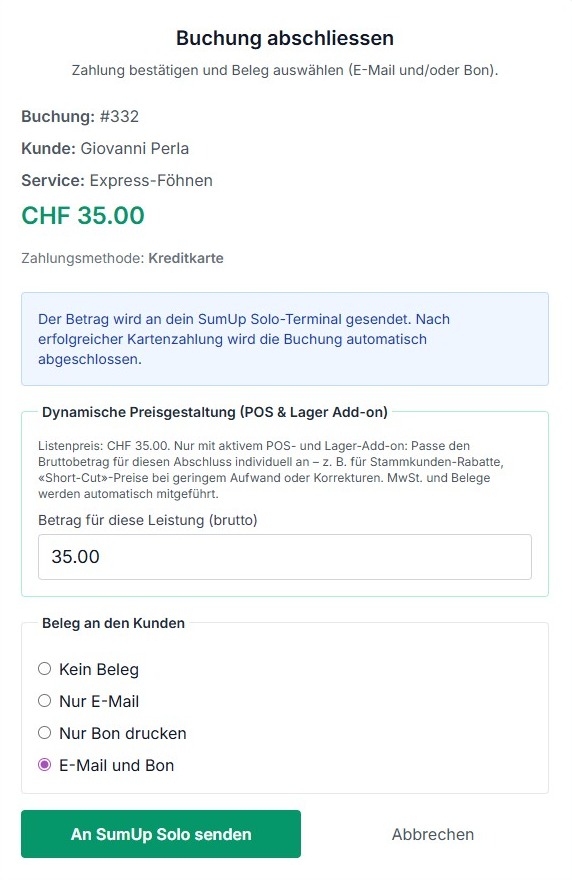
Complete booking, check amount and tap “Send to SumUp Solo”.
Less typing, fewer mistakes – more time for your clients.
The price from the booking lands on SumUp Solo automatically – no typos at the terminal.
After card payment the booking is paid and done – receipt by e-mail or slip as usual.
Payment, booking and reports stay in MySalon – nothing to duplicate.
Three things – MySalon handles the rest at checkout. We take care of the technical setup for you.
Your terminal is powered on and connected to the salon Wi‑Fi.
You set up terminal and account directly with SumUp – as you would without MySalon.
We enable SumUp for your business in salon settings – and support you through it.
MySalon and SumUp are separate accounts: terminal and merchant account are set up with SumUp. We connect it to MySalon together with you in salon settings.
Terminal offline or customer cancels? MySalon tells you clearly what is happening – the booking stays open, you can choose cash, TWINT or card again.
Start free with MySalon. If you have SumUp Solo, we set up card payments together in your salon settings.
Start free nowNo credit card required for MySalon. SumUp terminal and account separately from SumUp.